

Iván Abad Founder & COO
Granola vs Otter vs Fathom: Which AI Note Taker Wins in 2026?
Iván Abad Founder & COO
I tested Granola, Otter, and Fathom on real calls. Honest comparison of transcription, bot-free capture, pricing, and the one thing they all still miss.

TL;DR: Granola vs Otter vs Fathom in 2026
- All three are strong AI note takers, and each wins a different fight. Granola pioneered bot-free capture, Otter owns searchable archives, and Fathom has the most generous free plan.
- Granola and Fathom only kick in once the call is over. Otter's 2025 Meeting Agent is the exception, but it speaks up as a voice bot with Enterprise-gated coaching.
- Every one of them writes up the call after it ends. None help you while it's still live, which is where the call is won or lost.
- Convo is the fourth option. It writes up the call like the note-takers, then adds the live help none of them can. That combination makes it the strongest of the group. Try it free.
The Quick Comparison
| Feature | Granola | Otter.ai | Fathom | Convo |
|---|---|---|---|---|
| Best For | Bot-free Mac and Windows users | Searchable archives | Free unlimited recording | Real-time in-call help |
| Transcription | Very Good | Excellent | Very Good | Very Good |
| Bot Joins Meeting | No | Yes | Yes | No (bot-free) |
| Real-Time Help | No | Via voice bot (2025) | No | Yes (8-second loop) |
| Free Tier | Limited history | 300 min/month | Unlimited, 5 AI summaries | 7-day trial |
| Paid Price | $14/user/month | $16.99/month | $20/month | $22.49/month |
Granola, Otter, and Fathom tell you what was said. Convo tells you what to say, while you can still say it.
Real-time help during the call
If you want suggestions while you're still talking instead of a transcript afterward, try Convo free for 7 days. Bot-free on Mac and Windows, plus everything Granola, Otter, and Fathom offer.
Now let me break down what I found after testing each one.
How I Tested
I ran all three tools on real calls for about two months, plus Convo, the tool I build and use on these same calls:
- Client calls on Zoom and Google Meet
- Sales discovery calls
- Internal team syncs on Microsoft Teams
- 1:1s with my co-founder
I compared transcription accuracy, note quality, bot behavior, and how each tool held up in sensitive conversations. No demo accounts, no cherry-picked moments. Just honest observations from the calls I would have had anyway.
Granola: Best for Bot-Free Mac and Windows Users
Granola is the product that broke the "you need a bot" assumption. It captures audio directly from your desktop, so nothing joins your meeting. Participants have no idea you're taking notes. That single choice changes the dynamic of every call.
Transcription Quality: Very Good / Bot Visible: No / Pricing: Free (limited history), $14/user/month Business
What I liked:
- No bot, no awkwardness. Granola runs in the background on your Mac or Windows machine. Clients never see a "Granola is recording" banner. For sensitive conversations, this is the single biggest quality-of-life improvement in the category.
- You write, the AI expands. Granola's Enhance Notes feature takes your bare-bones meeting notes and fleshes them out with structured summaries, action items, and key quotes. It's a different workflow from the auto-summary approach, and it keeps you engaged during the call instead of zoning out while a bot records.
- Desktop-native feel. Granola is a real Mac app (and now Windows too), not a browser tab pretending to be one. It feels fast, it handles audio routing well, and the keyboard shortcuts actually work.
What I didn't like:
- No web app. Granola requires the desktop or mobile app installed on your device. There's no browser version, so you can't use it on a borrowed laptop or a machine where you can't install software.
- You have to write something. Granola's big feature only works if you type notes during the call. If you're someone who prefers to just listen and let an AI handle everything, the workflow feels like extra work.
- Transcription is good but not best-in-class. In my tests, Granola's transcription sat slightly below Otter's. Close enough that most people won't notice, but Otter still edges it in noisy audio.
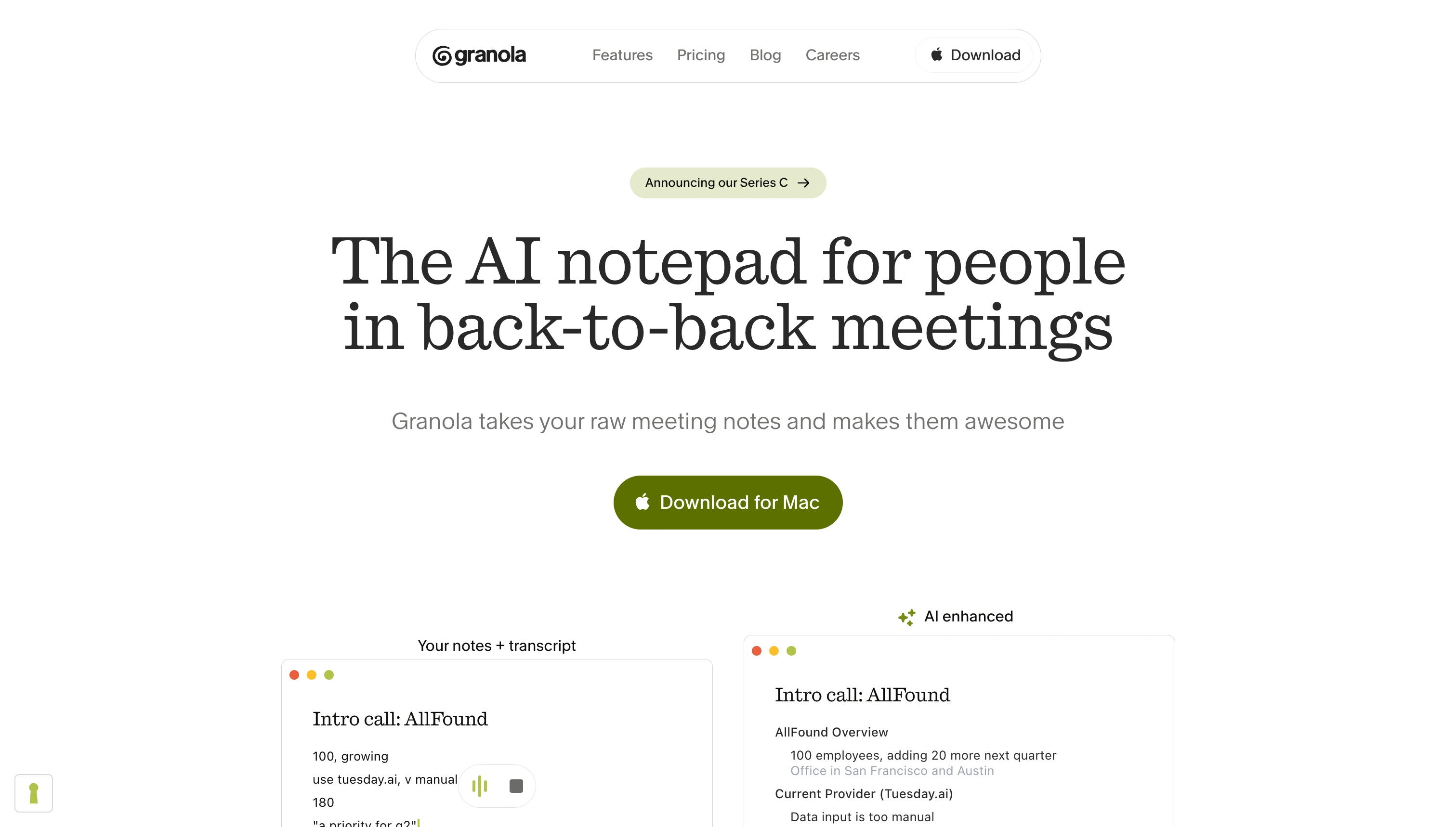
Granola's Enhance Notes turns sparse bullet points into structured meeting summaries.
Best for: Mac and Windows users who take sensitive calls and don't want a bot in the room. If you're a consultant, therapist, financial advisor, or sales rep who cares about how clients perceive recording, Granola is the cleanest option in the category. For the deep dive on what works and what falls short, see the full Granola AI review.
Pricing: Free (Basic, limited meeting history), Business $14/user/month, Enterprise $35/user/month
Otter.ai: Best for Searchable Meeting Archives
Otter.ai has been around the longest, and it shows. The transcription is still the most accurate in the category. I'd estimate 93-95% in good audio conditions, and the archive features have had years to mature. If you've ever said "what did we talk about with that client six months ago," Otter is the tool that actually answers the question.
Transcription Quality: Excellent / Bot Visible: Yes / Pricing: $16.99/month Pro, $30/user/month Business
What I liked:
- Search across every meeting you've ever had. Otter indexes every transcript and lets you search by speaker, topic, or exact phrase. For someone who references past conversations often, nothing else comes close.
- Speaker identification. Otter is noticeably better than the others at figuring out who said what, even with three or four people on the call. That alone makes post-meeting review easier.
- Live transcript during the meeting. You can watch the transcript scroll in real time. I mostly ignored this during calls, but it helped a few times when I missed a number or a name.
What I didn't like:
- The bot is visible to everyone. "Otter.ai" joins your meeting as a participant, and people notice. I've had prospects ask "what's the Otter bot?" mid-call. For relationship-heavy conversations, that friction matters.
- Summaries are hit-or-miss. Otter's AI summaries are fine, not great. They catch the main topics but frequently miss the subtle next steps that actually matter for follow-up.
- Free tier is stingy. 300 minutes a month with a 30-minute per-conversation cap burns through fast. Most serious users will hit the Pro plan within weeks.
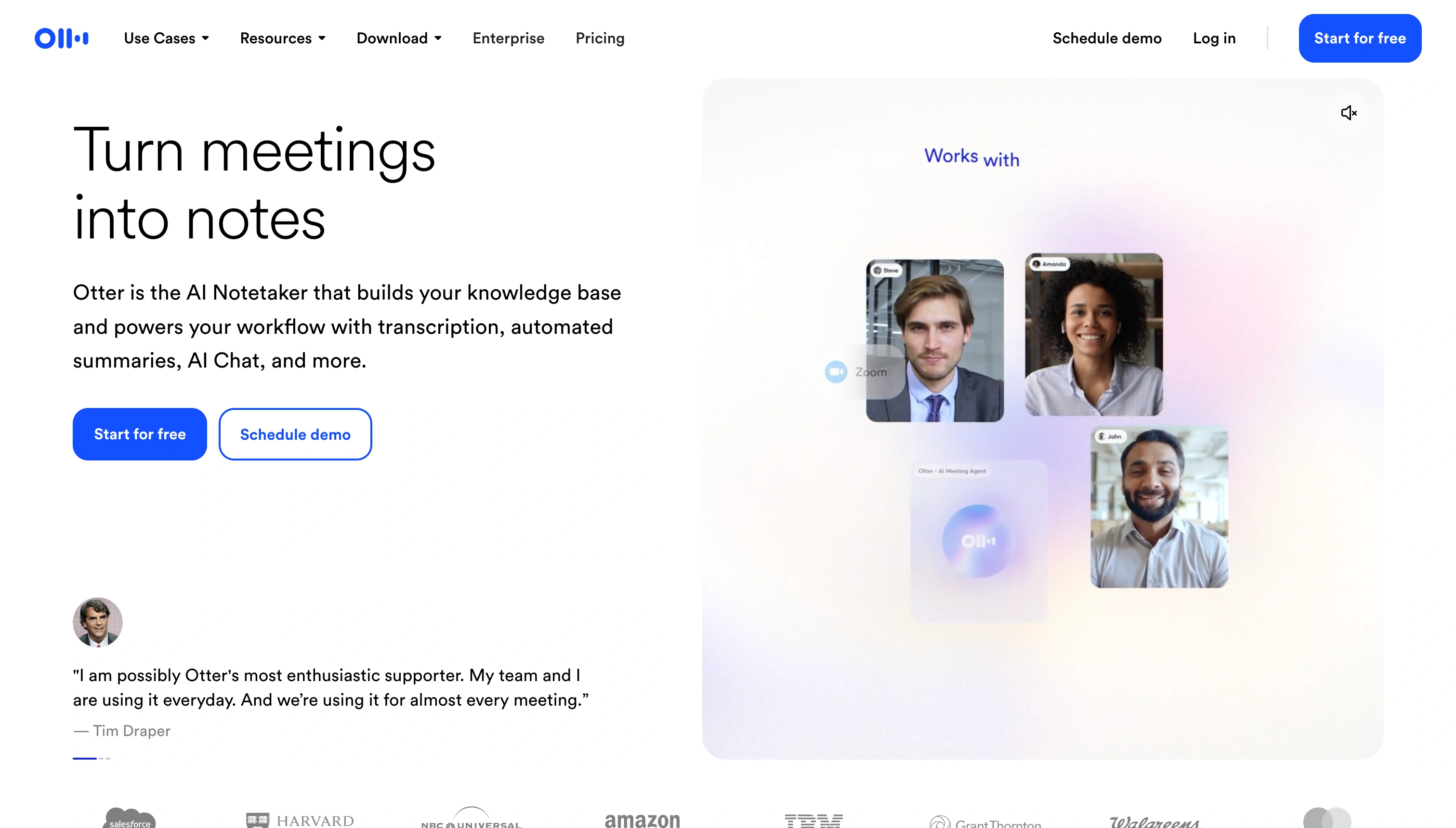
Otter.ai's archive lets you search across every meeting by speaker, topic, or exact phrase.
Best for: Teams that need to search and reference past meetings, don't mind a visible bot, and want the best raw transcription in the category. If your primary job is "find what was said," Otter wins.
Pricing: Free (300 min/month), Pro $16.99/month, Business $30/user/month
Fathom: Best Free Option for Unlimited Recording
Fathom wins the free-forever fight by a wide margin. The free plan gives you unlimited recordings and transcriptions with no minute cap. The catch is a 5 AI summary per month limit. Generate more than five structured summaries and you hit the paywall. For individual users who mostly want raw transcripts, that's barely a limit.
Transcription Quality: Very Good / Bot Visible: Yes / Pricing: Free (unlimited recordings, 5 AI summaries/month), Premium $20/month
What I liked:
- Genuinely free. No minute cap, no surprise usage limits on transcription. This is the most generous free tier of any serious AI note taker in 2026.
- Fast summaries. When Fathom's AI summaries do fire, they show up within seconds of the call ending. Faster than Otter in my tests, and the structure is cleaner.
- Works everywhere. Zoom, Google Meet, and Microsoft Teams all work out of the box. Fathom's Teams support is slightly weaker than Otter's, but it gets the job done.
What I didn't like:
- The 5-summary cap on free. The moment you rely on Fathom for AI summaries, you'll hit the limit. It's a soft push to upgrade dressed up as a free plan.
- The bot joins the call. Same friction as Otter and Fireflies. Clients see "Fathom Notetaker" in the participant list.
- Weaker search. If you want to search across hundreds of past meetings, Fathom's archive feels thin next to Otter's.
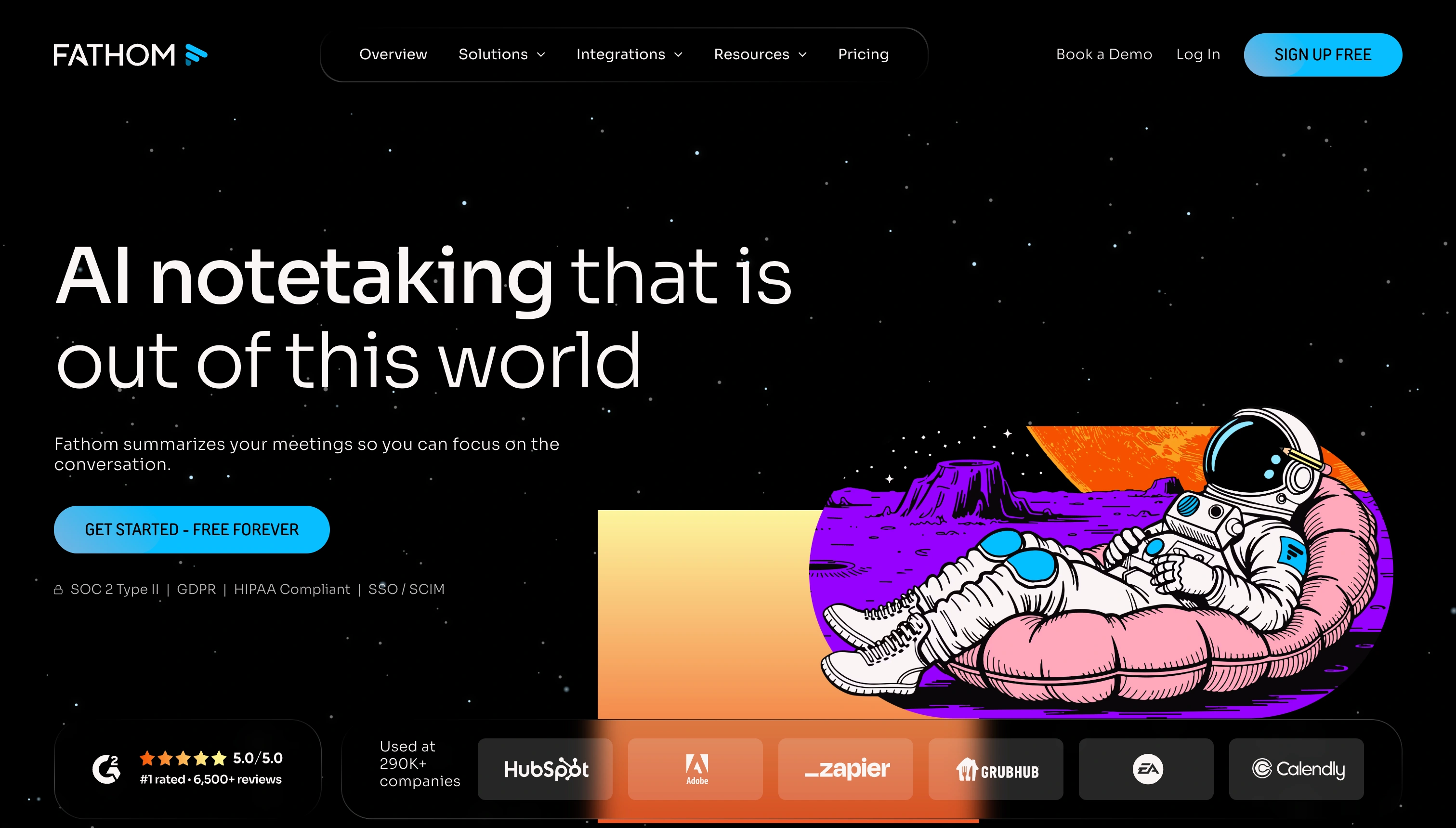
Fathom's free plan gives you unlimited recording with no minute cap.
Best for: Individual users and small teams who want unlimited meeting recording for free and only need occasional AI summaries. If you're testing the category or just need raw transcripts, Fathom is the best starting point. For the wider field, see 8 Fathom alternatives I tested in 2026.
Pricing: Free (unlimited recording, 5 AI summaries/month), Premium $20/month, Team $19/month, Business $34/user/month
Head-to-Head Comparisons
Granola vs Otter
If you hate meeting bots, pick Granola. If you live in old transcripts, pick Otter. It really is that simple. Granola's bot-free capture is the bigger differentiator in 2026 because the category is moving in that direction, but Otter still wins on raw transcription accuracy and archive depth. For a Mac-first user who doesn't need to search historical calls, Granola is the better daily driver. For a team that treats meeting notes as a searchable knowledge base, Otter still has no real competition.
Granola vs Fathom
Both have strengths that don't really overlap. Granola's value is the bot-free experience and the "you write, AI expands" workflow. Fathom's value is the free plan. If you want to spend nothing and you don't mind a bot, Fathom wins. If you care about how your calls feel for the other participants, Granola is the only answer. A lot of people will end up using Fathom for internal calls and Granola for client calls, which is a reasonable split.
Otter vs Fathom
The sibling of this post, Otter vs Fireflies vs Fathom, covers this comparison in detail. Quick version. Otter wins on transcription accuracy and search. Fathom wins on free-tier generosity. Both put a bot in your meeting, so neither solves the "clients notice I'm recording" problem.
Granola vs Convo
Both skip the meeting bot, so this one comes down to when you want the help. Granola captures the call and expands your notes after it ends. Convo works while you're still talking, surfacing context from past calls and suggesting how to respond in the moment. If you want a clean bot-free record and nothing more, Granola is lighter. If you want help during the conversation, not just a write-up after it, that's the line between the two.
Otter vs Convo
Otter is built for looking backward. It searches any meeting you've ever had. Convo is built for the live moment, pulling the relevant context to you while the call is happening instead of waiting for you to go dig for it later. Otter also puts a bot in the room; Convo doesn't. If your job is "find what was said six months ago," Otter wins. If it's "don't go blank when the client asks something right now," Convo does.
Fathom vs Convo
Fathom's appeal is the free plan and fast summaries once the call wraps. Convo isn't free, but it's the only one of the two that helps before the call ends. If you just need cheap transcripts, Fathom is the obvious pick. If your calls are where deals are won or lost, in-the-moment help is worth more than a free recording after the fact.
The Problem They All Share
After two months of testing, here's what became clear. Granola solved one problem the others ignored, but all three still share the biggest one.
They all:
- Give you a transcript and a summary after the meeting ends
- Help you remember what happened, days or weeks later
- Organize meeting notes you'd otherwise have to type yourself
They all don't:
- Help you during the meeting when you freeze on a tough question
- Surface context from previous conversations while the call is happening
- Suggest what to say next when a prospect objects or a client goes off-script
- Give you confidence in the moment when you need it most
Granola is a genuine improvement on the category with no bot, a better dynamic, and more respect for the conversation itself. But if your problem is "I go blank when a deal is on the line" or "I forget what we agreed last quarter when the same client is asking again," a cleaner transcript of the call after it ends doesn't help you.
That's the gap Convo was built for. It gives you help during the call, the same bot-free way Granola captures it, so you find out what to say while it still matters instead of reading it back afterward.
Help while the call is still happening
If a transcript after the fact isn't enough, try Convo free for 7 days. It suggests what to say while you're still talking and surfaces the right context from a past call the moment it's relevant.
What I'd Actually Choose (By Scenario)
Here's how I'd pick between the three (and when I'd reach for something else) based on who you are and what you're actually trying to solve.
"I'm a Mac user who hates meeting bots"
Pick Granola. No question. This is exactly what Granola was built for. You'll get clean meeting notes without the awkward "Granola is recording" moment that Otter and Fathom both create.
"I need to search across hundreds of past meetings"
Pick Otter. The archive and search features have had years to mature and no competitor is close. If your job involves constantly answering "what did we talk about three months ago," Otter is the only real choice.
"I want AI notes for free forever"
Pick Fathom. Unlimited recording on the free plan is unbeatable value. Just be ready for the 5 AI summary cap to push you toward the $20/month Premium plan once you actually rely on it.
"I have sensitive client conversations"
Pick Granola or Convo. Both capture audio locally without joining your meeting as a bot. If you care about how your recording looks to the person on the other side of the call, these are the only two options that don't create the friction.
"I want help during meetings, not just after"
Pick Convo. Granola, Otter, and Fathom all help you remember what happened. Convo helps you in the moment. It steps in when a prospect asks a question you don't have a ready answer for, or when a client references a conversation you'd forgotten. Silent, on-screen help during the call is the one thing they don't match. Granola and Fathom are post-call only, and Otter's Meeting Agent delivers its real-time help through a voice bot that speaks up rather than quietly on your screen.
How to Decide: A Simple Framework
Three questions will get you to the right tool.
1. Does a visible bot in your meetings bother your clients or prospects?
If yes, pick Granola or Convo. If no, Otter or Fathom is fine.
2. Do you need to search and reference old meetings often?
If yes, pick Otter. If not, any of the three will work.
3. Is your problem "what was said" or "what should I say"?
If "what was said," pick Granola, Otter, or Fathom. If "what should I say," pick Convo.
Convo: The One That Helps During the Call
If the problem you're actually trying to solve is "I freeze in sales calls" or "I blank on the context when a client asks about our last conversation," none of these three tools solve it. They're all fundamentally about documentation, not performance.
I built Convo to fill that gap. It gives you real-time suggestions during the conversation. Context from past calls, answers to objections, pricing references, the kind of help you need in the moment. It runs locally on your Mac and Windows machine with no bot joining the call, so the help arrives without changing how the conversation feels for the other side. Granola changed the category by removing the bot. Convo took the next step, real-time help while the call is still live.
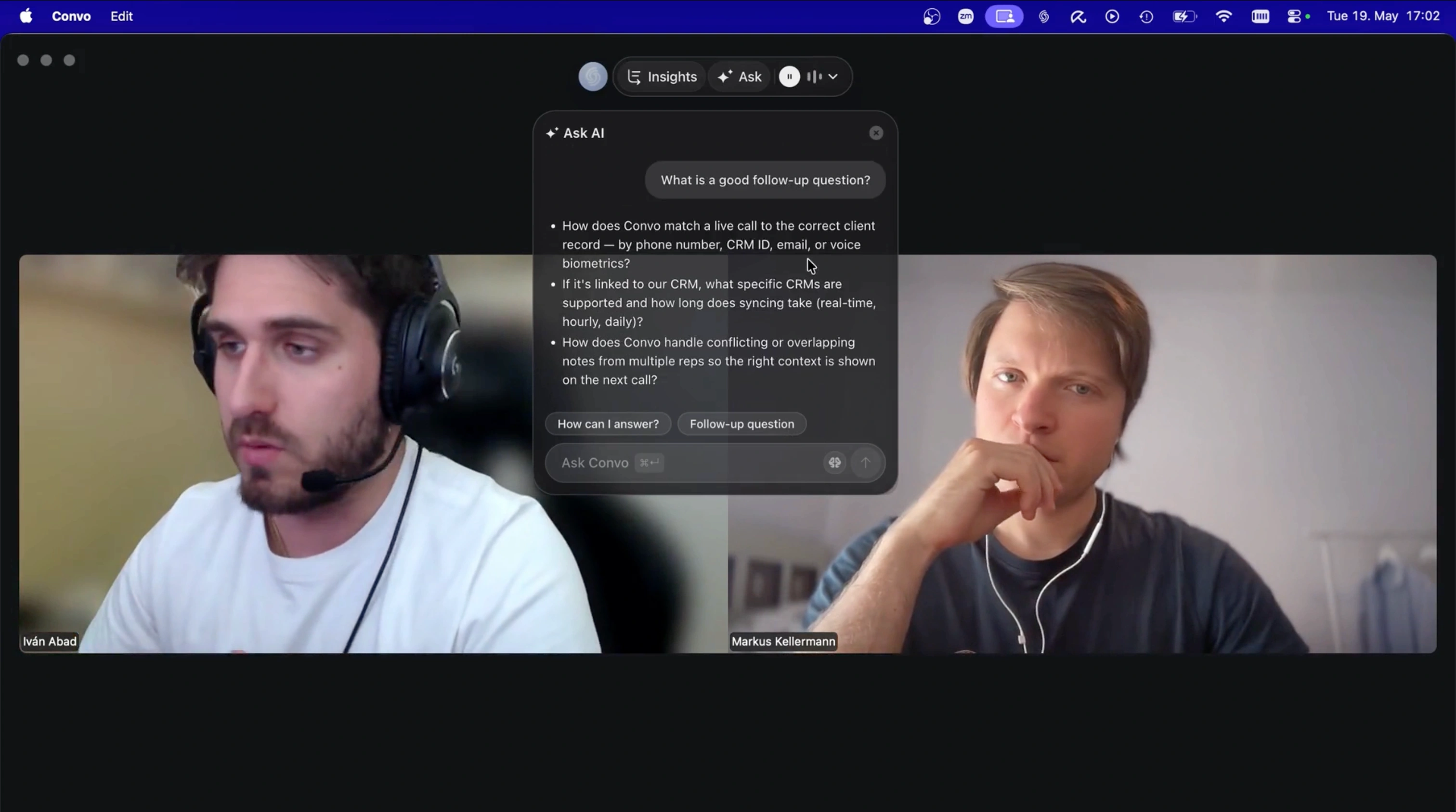
Convo surfaces the suggestion mid-call, while you can still use it, not in a summary after the meeting ends.
That's a different use case than what Granola, Otter, and Fathom were built for. If you just need meeting documentation, any of these three will do the job, and our best AI note-taking apps roundup covers the wider field, with our alternatives hub lining each up against Convo. If you want to perform better in the meetings themselves, that is what real-time conversation intelligence does, and you can try Convo free.
Frequently Asked Questions
Granola vs Otter, which is better? It comes down to the job. Granola wins if you want bot-free capture and a Mac or Windows workflow where nothing joins the call. Otter wins if you live in old transcripts, since its search and speaker identification across a long archive still lead the category. Granola is the better daily driver for client calls; Otter is the better system of record. Neither one helps while the call is still live, though, which is the one thing Convo adds on top of the same bot-free capture Granola pioneered.
Granola vs Fathom, which should I choose? Granola for client calls, Fathom for free. Granola's bot-free capture keeps sensitive conversations clean, with nothing in the participant list. Fathom's draw is the free plan. You get unlimited recording, and the 5 AI summaries a month is the only real cap. Plenty of people run Fathom for internal calls and Granola for anything client-facing. Both stop once the call is over. If the help you need is mid-conversation, that is the part Convo does and they don't.
Which has the best transcription accuracy? Otter still leads with 93-95% accuracy in good audio conditions. Granola and Fathom both land at around 90-93%. The difference matters if you're transcribing heavy accents or meetings with three or more speakers talking over each other. For most calls, all three are close enough that you won't notice.
Is Granola really bot-free? Yes. Granola captures audio directly from your desktop's output, so no Granola Notetaker joins your Zoom, Google Meet, or Teams call as a participant. Other attendees have no way of knowing Granola is running. This is the single biggest differentiator between Granola and Otter or Fathom, both of which add a visible bot to the participant list.
Which one should I pick if I'm on a budget? Fathom, without question. The free plan gives you unlimited recording and transcription across Zoom, Google Meet, and Teams with no minute cap. The only real limit is the 5 AI summaries per month. If raw transcripts are what you need, Fathom on the free plan costs nothing and is genuinely useful.
Does Granola work on Windows and mobile? Yes, as of 2026 Granola ships Mac, Windows, and mobile apps. There is still no web version, so you need the app installed on whatever device you're taking the meeting from.
Can I use these tools for sensitive conversations like therapy or legal calls? Granola is the only one of the three that doesn't announce itself to the other participants. Otter and Fathom both put a bot in the meeting, which creates friction in sensitive conversations. If you're a therapist, lawyer, financial advisor, or anyone handling confidential material, bot-free alternatives like Granola and Convo are the only options that don't change the dynamic of the call.
What about Fireflies.ai? Fireflies is worth considering if you want deep CRM integration, especially Salesforce and HubSpot. I covered it in detail in Otter vs Fireflies vs Fathom and in my Fireflies AI review. The short version is that Fireflies is great if CRM sync is critical, but it joins as a bot like Otter and Fathom. For the direct pair, see Fathom vs Fireflies.
Are there alternatives that help during the meeting, not just after? Yes. Convo is the main one. It runs locally on your Mac, captures audio without a bot, and surfaces real-time suggestions during the call based on what's being said and context from past conversations. Granola opened the bot-free category and Convo extended it to real-time assistance. See my Mac AI meeting assistants guide for more options.
How does Fathom compare to Granola for capturing Zoom calls with speaker identification? Both capture Zoom calls and label who said what, but the mechanism differs. Fathom sends a visible bot into the meeting to record, then produces a transcript with speaker labels and an AI summary afterward. Granola is bot-free, capturing audio locally and identifying speakers without anything joining the call, which is why it fits calls where a bot would create friction. For raw unlimited recording, Fathom's free plan wins; for capturing sensitive Zoom calls without announcing a notetaker, Granola is the pick. Neither helps during the call itself, which is where Convo comes in.
Iván is the co-founder of Convo, focused on operations and growth. Background in marketing and sales. Knows firsthand what it feels like when a conversation doesn’t go the way it should.
Ready to transform your meetings?
Join professionals using Convo to feel confident in every conversation.
Get StartedCONTINUE READING