
Markus Kellermann Founder & CEO
Sales Coaching Software: What Actually Works (And What's Just Expensive Dashboards)
Markus Kellermann Founder & CEO
I was doing all our startup's sales calls and thought I was pretty good at them. Then I saw the data on my worst call — 82% talk time — and realized everything I thought I knew was wrong. Here's what actually works.
The Sales Call That Made Me Question Everything I Knew About Selling
Two months ago, I blew a deal I was sure we'd close.
The prospect had given every buying signal imaginable. They'd done a second demo unprompted, asked about implementation timelines, and introduced us to their CFO. This was a done deal.
Then I got on the closing call and talked for 82% of it.
I pitched features they'd already seen. I answered objections they hadn't raised. I talked over the CFO twice. By the end, the prospect said they "needed more time to think" — which, in sales, is how people say goodbye without saying goodbye.
I only know the exact numbers because I reviewed the recording afterward. During the call? I thought it was going great. I walked away feeling confident.
My gut was an idiot.
That experience broke something in me — the belief that I could evaluate my own sales performance through feel alone. As a founder doing all our sales, I'd been judging my own calls based on vibes and feelings. "I think that went well." "I feel like I handled the pricing objection okay." Vague, unverifiable, usually wrong.
That's when I started looking into sales coaching software — tools that actually measure what happens on calls so you can improve based on data, not feelings. And what I found surprised me.
What Is Sales Coaching Software?
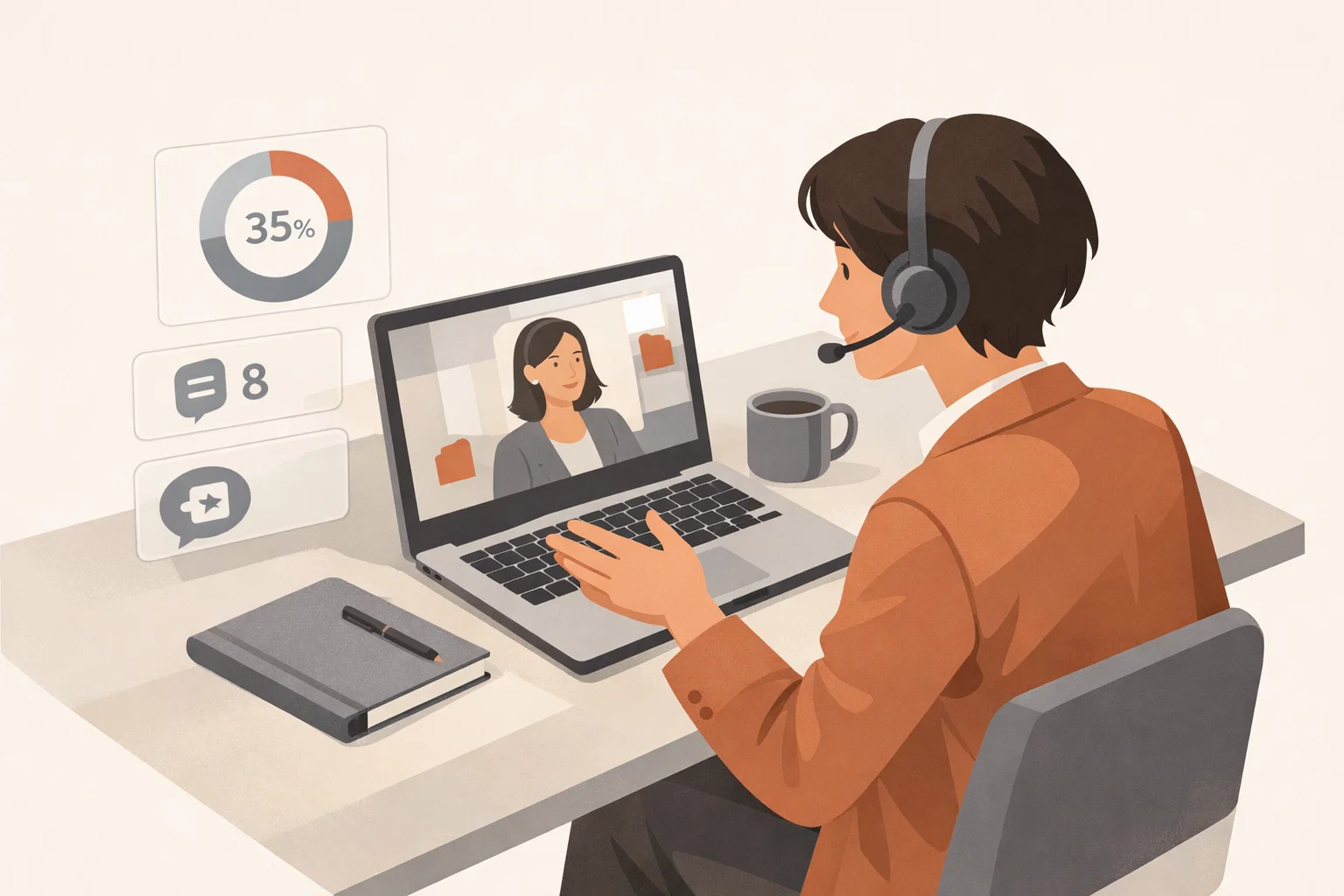
Sales coaching software is any tool that helps managers and reps improve their sales conversations through data and feedback. At its core, it does three things:
- Records and analyzes sales calls — transcription, talk-to-listen ratios, question frequency, topic tracking
- Identifies coaching opportunities — moments where a rep could have handled something differently (missed objection, talked too long, didn't ask enough discovery questions)
- Provides feedback loops — either post-call analysis for manager review, or real-time suggestions during the call itself
The best sales coaching software turns subjective impressions ("I think that call went well") into objective data ("you talked for 72% of the call, asked 3 questions, and the prospect mentioned a competitor twice that you didn't address").
It's not about surveillance. It's about giving reps a mirror so they can see their own patterns — and giving managers something more useful than gut feelings to coach with.
Why Most Sales Coaching Doesn't Work
Before I get into tools, let me be honest about what's broken with how most teams approach coaching:
Managers coach from memory, not data. I used to finish sales calls and mentally replay what happened. By then, I'd forgotten half of the conversation and filled in the gaps with what I thought happened. Research shows people recall about 50% of a conversation accurately. That means half your coaching — or your self-assessment — is based on fiction.
Coaching happens too late. The standard model is: rep has a call, manager reviews it later, gives feedback in the next 1:1, rep tries to remember and apply it on the next call. That feedback loop is days or weeks long. By then, the moment is gone. The rep can barely remember which call you're talking about.
Reps don't trust subjective feedback. When my co-founder told me I "talked too much" on a client call, my first instinct was to disagree. And honestly, who was right? Neither of us had data. It was his perception against mine. Sales coaching software removes that argument entirely — the numbers are the numbers.
One-size-fits-all coaching ignores context. A discovery call requires completely different behavior than a remote closing call. You should be asking lots of questions in discovery (aim for 70% listening). In a closing call, you need to be more assertive and guide the conversation toward a decision. Most coaching doesn't distinguish between these contexts — and that's a problem if your team is doing remote closing across different deal stages.
What to Actually Look for in Sales Coaching Software
After testing multiple tools on our own sales calls, here's what actually moves the needle — and what's just noise:
1. Real-Time vs. Post-Call Feedback
This is the biggest differentiator in the market right now.
Post-call tools record your calls, transcribe them, and generate reports afterward. You review the data, identify coaching moments, and discuss them with your rep in a 1:1. This is how Gong, Chorus, and most enterprise platforms work.
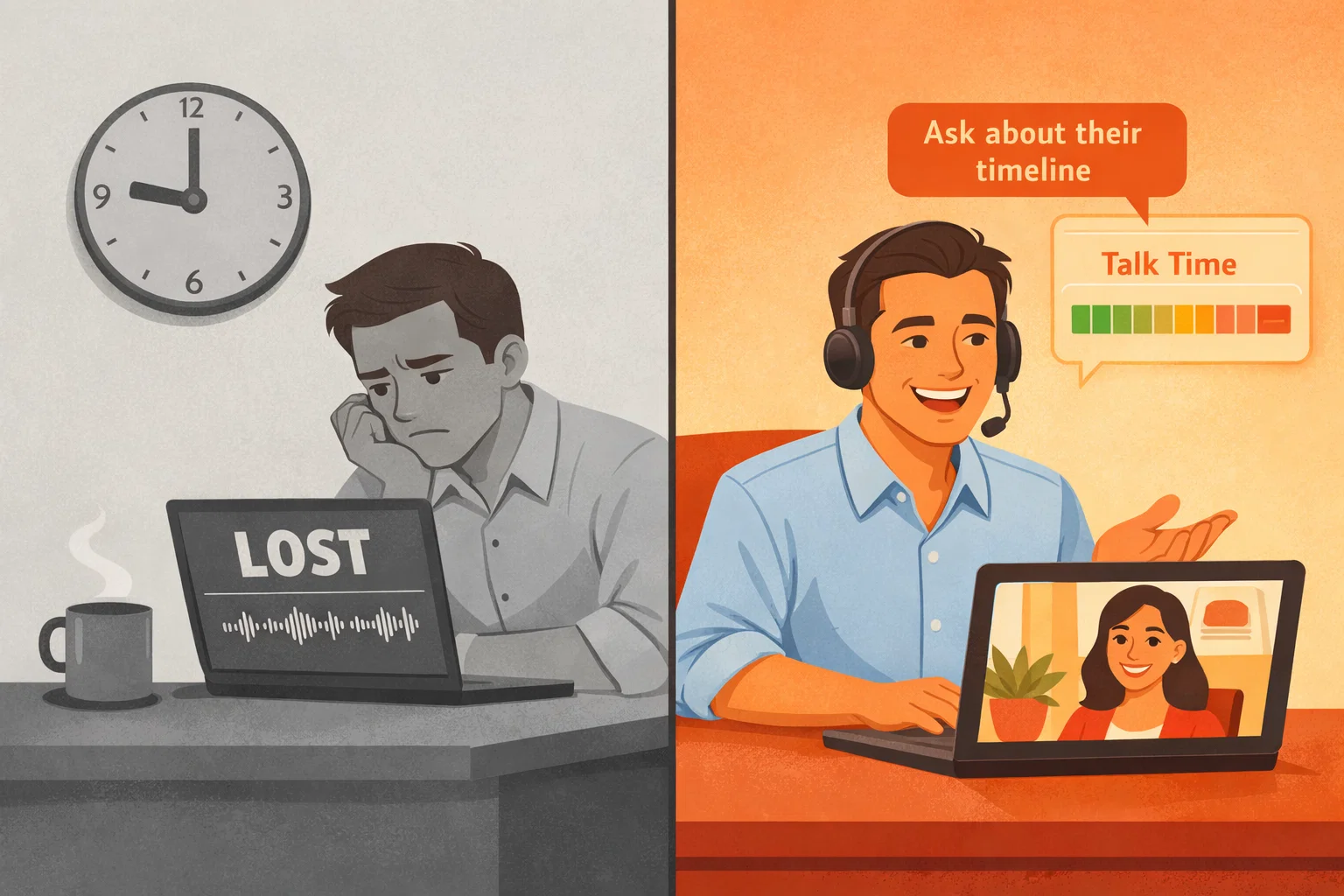
Real-time tools give feedback during the call. You can see your talk-to-listen ratio ticking up, get prompted to ask a question, or receive an objection handling suggestion while the prospect is still talking.
The difference matters more than you'd think. Post-call is like watching game film after the game is over — useful for pattern recognition, but you can't change the outcome. Real-time is like having a coach whispering in your ear during the play.
I've used both. Post-call analysis is great for identifying trends over many calls. Real-time coaching is better for immediate behavior change. Ideally, you want both.
2. Talk-to-Listen Ratio Tracking
This is the single most predictive metric in sales conversations. I wrote about this in detail in our conversation analytics guide, but the short version:
- Discovery calls: You should be listening 70% of the time
- Demos: Closer to 50/50
- Remote closing calls: 40/60 — you talk slightly more to guide the decision, but the prospect should still have space to voice concerns and confirm commitment
My 82% talk time on that closing call? That's not a coaching opinion. That's a number. And it's a number I could have course-corrected in real time if I'd been able to see it ticking up during the conversation.
3. Objection Handling Support
Good sales coaching software doesn't just tell you that an objection happened — it helps you handle it better.
The best tools detect when a prospect raises a pricing concern, a competitor mention, or a timing objection, and either flag it for post-call review or suggest a response framework in the moment.
This is especially valuable for newer reps who freeze when they hear "it's too expensive" or "we're also looking at [competitor]." Instead of panicking, they get a prompt: acknowledge the concern, ask what they're comparing it to, then redirect to value.
4. CRM Integration
If your coaching insights don't flow into your pipeline, they're just interesting data. The best sales coaching software pushes call summaries, action items, and coaching notes directly into Salesforce, HubSpot, or whatever CRM your team uses. For a deeper look at building the right stack, see our guides on B2B sales intelligence, sales productivity tools, and meeting integrations.
This eliminates the "I forgot to update the CRM" problem and gives managers pipeline context alongside coaching data. You're not just seeing how a rep performed on a call — you're seeing how that performance connects to deal progression.
5. Privacy and Trust
This matters more than most vendors admit. If your sales coaching software requires a visible bot to join every call, your prospects notice. I've had prospects ask "who's Fred?" when a Fireflies bot popped into the meeting. That's not a great first impression — especially on a high-stakes remote closing call.
Tools that run locally, capture audio without joining as a participant, or work invisibly are worth the premium. Your reps shouldn't have to choose between getting coached and making a good impression. For more on making calls professional, see our virtual meeting etiquette guide.
The Tools: An Honest Comparison
I've used or evaluated most of the major players. Here's my honest take:
Enterprise: Gong & Chorus
Gong is the industry standard for revenue intelligence. Conversation analytics, deal intelligence, pipeline forecasting — it does everything. The coaching features are strong: managers can review calls, leave timestamped comments, create coaching playlists, and track rep improvement over time.
Chorus (now part of ZoomInfo) is similar in scope. Deep Salesforce integration, competitive intelligence, and call scoring. Slightly less polished UI than Gong, but the analytics are comparable.
The catch: Both are enterprise-priced. We're talking $1,200-$1,600+ per user per year. For a 10-person sales team, that's $12,000-$16,000/year just for coaching software. If you're closing six-figure deals, the ROI makes sense. If you're a startup or SMB, it doesn't. (Curious what your meetings are costing you? Try our Meeting Cost Calculator.)
Best for: Large sales orgs (50+ reps) with dedicated sales enablement teams and enterprise budgets. If you're a chief sales officer building out a coaching program, this is the tier to evaluate.
Mid-Market: Fireflies & Otter
Fireflies.ai offers meeting recording, transcription, and basic analytics at $10-19/month per user. The coaching features are lighter — you get talk-time breakdowns and keyword tracking, but not the deep deal intelligence that Gong provides.
Otter.ai is primarily a transcription tool with some analytics bolted on. Good for capturing what was said, less useful for coaching on how it was said.
Best for: Teams that want call recording and transcription at a reasonable price, with some basic coaching metrics on top.
Real-Time Coaching: Convo
Convo (yes, this is what we built — I'm biased, but I'll explain why) takes a fundamentally different approach. Instead of analyzing calls after they end, Convo provides real-time AI coaching during the conversation.
Your talk-to-listen ratio updates live. If you've been monologuing for four minutes, you see it. When a prospect raises a pricing objection, you get a suggested response framework on screen — not tomorrow in a 1:1, but right now, while the prospect is still waiting for your answer.
It runs locally on your Mac. No bot joins the call. Your prospect never knows it's there. And because everything processes on-device, your call data never leaves your machine.
After the call, you get a full breakdown — talk-to-listen ratio, questions asked, key moments, and a summary of what was discussed — so you can review what happened and go into the next conversation sharper.
Best for: Startups and growing teams that want coaching in the moment and after the fact. Especially useful for reps doing remote closing where every conversation matters and you can't afford to "review it later."
How to Use Sales Coaching Software Without Micromanaging
This is where most teams get it wrong. They buy a coaching tool and immediately create a surveillance culture. Don't do that.
Share your own data first. Before expecting anyone to share their call analytics, show yours. When I shared publicly that I talked for 70% of a client call, it set the tone — we're all trying to get better, not monitoring each other.
Coach patterns, not individual calls. One bad call is noise. A rep who consistently talks 80%+ across 20 calls is a pattern worth addressing. Focus on trends, not incidents.
Let reps self-coach. The best coaching happens when reps see their own data and adjust without being told. Give them access to their own dashboards. Most people will self-correct once they see the numbers — just like I did when I saw my 70% talk time.
Use it for remote closing preparation, not just review. Before a big closing call, pull up the prospect's previous calls. What objections came up? What topics got the most airtime? What was their energy like? Going into a remote closing call with this context is like having a cheat sheet — you already know their concerns before they raise them.
Never use it punitively. The moment coaching data shows up in a performance review as evidence against someone, you've killed trust permanently. Coaching data is for growth, not punishment.
Frequently Asked Questions
What's the difference between sales coaching software and a CRM? A CRM tracks deals, contacts, and pipeline stages. Sales coaching software analyzes the actual conversations happening within those deals — how reps communicate, what they say, how prospects respond. They're complementary, not competing. The best coaching tools integrate with your CRM so insights flow into your pipeline data.
Do I need sales coaching software if I have a small team? Even a 2-3 person sales team benefits from coaching data. In fact, small teams often benefit more because every deal matters more. You can't afford to lose deals to preventable mistakes like talking 82% of a closing call.
Is sales coaching software just for managers? No. The most valuable use case is actually self-coaching. Reps who can see their own talk-time, question frequency, and objection handling patterns improve faster than reps who only get feedback from managers. Give reps access to their own data.
Does it work for remote sales teams? This is actually where it shines. Remote and hybrid sales teams can't rely on a manager overhearing calls from across the office. Sales coaching software makes remote coaching just as effective as in-person by capturing every call automatically, whether your team is in one office or spread across ten time zones.
Will prospects know I'm using coaching software? Depends on the tool. Bot-based tools (Gong, Fireflies, Chorus) join the meeting as a visible participant — your prospect will see it. Tools like Convo run locally on your device with no bot, so the prospect never knows. If you're doing high-stakes remote closing calls, the invisible approach matters.
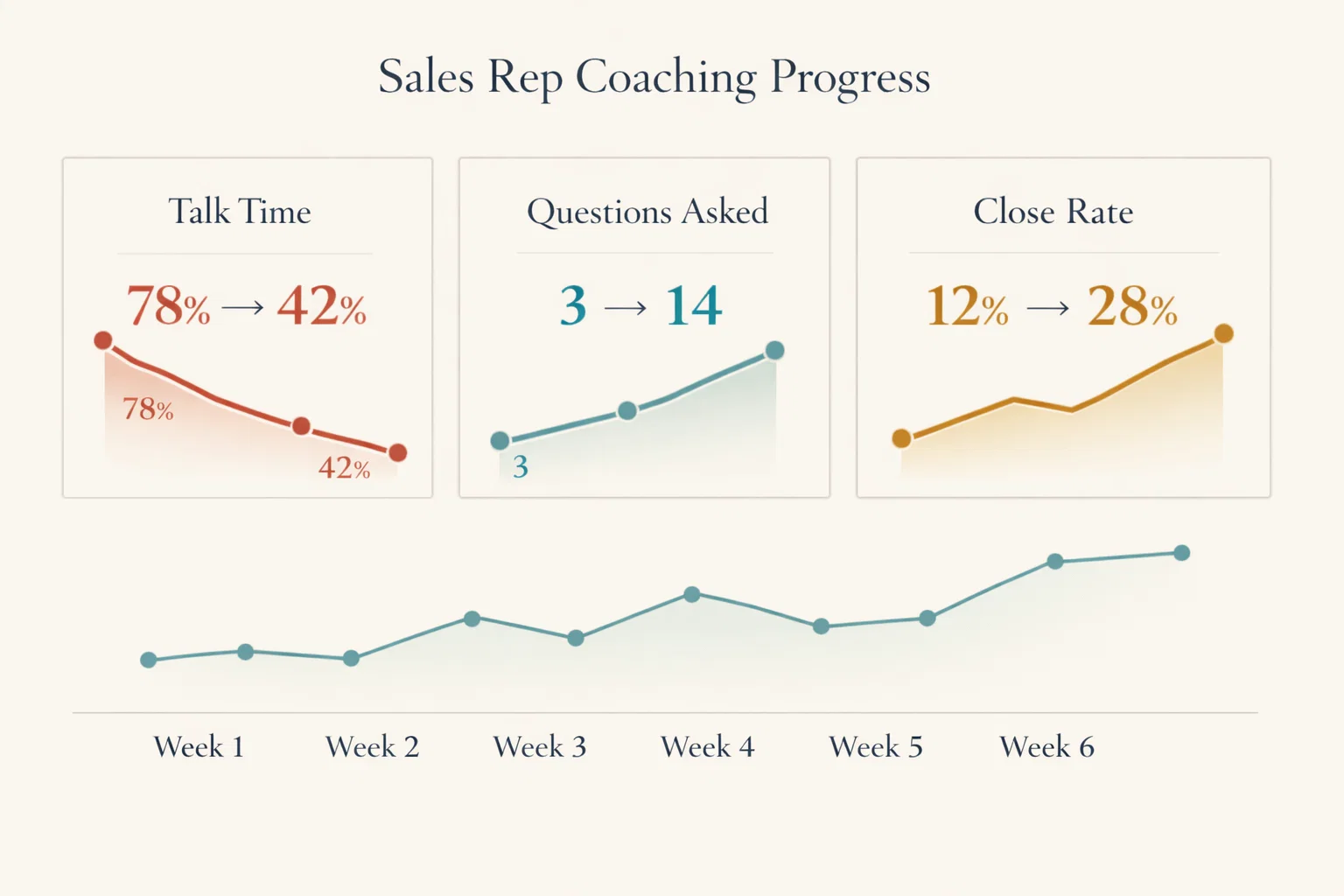
How long does it take to see results? Most teams see behavioral changes within 2-3 weeks. Reps who see their talk-time data for the first time almost always reduce it on the next call — the awareness alone drives change. Meaningful improvements in discovery quality, objection handling, and close rates typically emerge over 6-8 weeks.
The One Thing That Actually Changes Sales Performance
If you take one thing from this article, it's this: you can't coach what you can't see.
I spent over a year doing founder sales and evaluating my own performance on gut feeling. I'd finish calls, tell myself they went well, and wonder why deals kept slipping. The answer was simple — my self-assessment was vague, optimistic, and usually wrong.
Sales coaching software doesn't replace good management. It just gives you the data to make your coaching specific, timely, and objective. "You talked for 78% of that call" hits differently than "I think you talked too much." "You asked 2 questions in a 30-minute discovery call" is more actionable than "you should ask more questions."
Start with one metric. Track talk-to-listen ratio for a week across your team. Just that one number will tell you more about your team's sales conversations than a month of ride-alongs.
And if you want that data in real-time — while your reps are still on the call, not in a review session three days later — that's exactly why we built Convo. No bots, no surveillance, no enterprise pricing. Just a quiet coach on your Mac that helps you get better at every conversation.
Because the best time to fix a sales call isn't after it ends. It's while it's still happening.
Learn more about this topic with AI
Ready to transform your meetings?
Join professionals using Convo to feel confident in every conversation.
Download for MacCONTINUE READING